How OpenClaw Remembers: The Secret That Makes AI Assistants Actually Useful
Most AI assistants forget you the moment you close the chat. Here's how OpenClaw's memory actually works — and why it changes everything.
You know that feeling when you tell someone something important — your food allergies, your kid's name, that you hate being called "buddy" — and a week later they ask you the same thing again?
Now imagine that happening every single conversation. Forever.
That's what most AI assistants do. Every time you open a new chat with ChatGPT or Claude, you're talking to someone with total amnesia. They're brilliant for sixty seconds, then they forget you exist.
OpenClaw is different. It remembers.
And the way it remembers is surprisingly human.
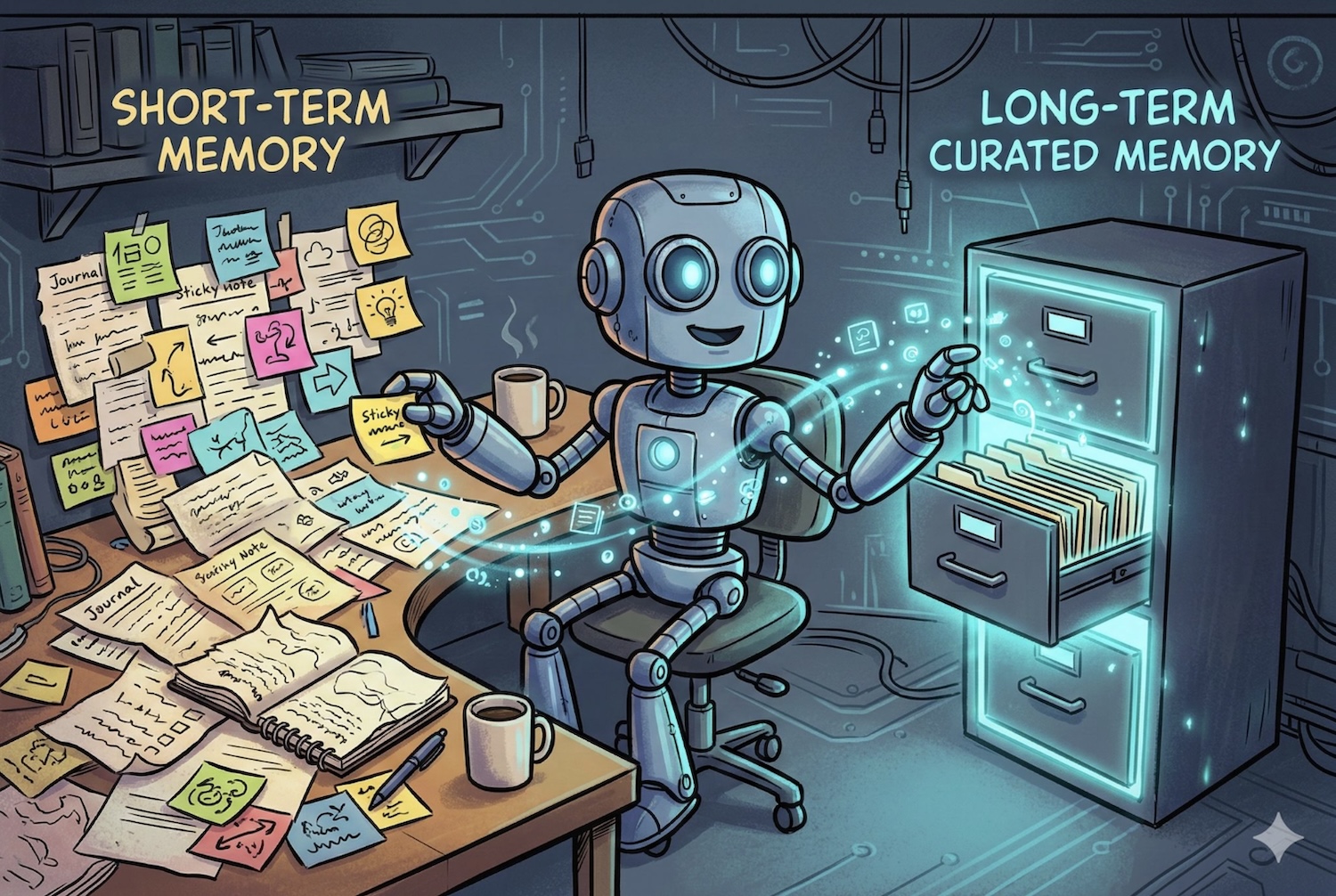
Your Brain Has Two Memory Systems. So Does OpenClaw.
Neuroscientists split human memory into roughly two buckets:
Short-term (working) memory — the stuff you're holding in your head right now. The conversation you're in, the task at hand, what someone just said. It's fast, it's vivid, and it disappears quickly.
Long-term memory — the stuff that sticks. Your partner's birthday. The fact that your colleague is vegetarian. The lesson you learned the hard way about never deploying on a Friday.
Your brain constantly moves important things from short-term to long-term storage. You don't decide to do this consciously — it just happens, mostly while you sleep.
OpenClaw does the same thing, with two simple layers:
- Daily logs (
memory/2025-02-26.md) — the short-term memory. Everything that happened today. Raw, messy, immediate. Like a journal entry. - Long-term memory (
MEMORY.md) — the curated essentials. Distilled over time. The things that matter across weeks and months.
Both are plain text files. You can open them, read them, edit them. Nothing hidden, nothing opaque. Your AI's memory is as transparent as a notebook on your desk.
The "Falling Asleep" Moment
Here's where it gets clever.
Every AI model has a limit on how much it can "hold in its head" at once — called the context window. Think of it like working memory capacity. Once a conversation gets too long, something has to go.
Most AI tools just… cut off the old stuff. Gone. Hope it wasn't important.
OpenClaw does something smarter. Right before the context fills up, it triggers what you might call a memory consolidation — a silent, invisible moment where the AI reviews the conversation and writes anything important to its permanent memory files.
It's remarkably similar to what your brain does during sleep. Neuroscientists call it memory consolidation: the hippocampus replays the day's events and transfers the important bits to the neocortex for long-term storage.
OpenClaw's version takes about two seconds instead of eight hours. But the principle is the same: review what happened, save what matters, let the rest go.
The user never sees this happen. It's completely automatic.
"What Did We Decide About the Logo?"
Two weeks ago, you and your AI assistant had a long conversation about rebranding. You discussed three logo options, settled on option B with a tweaked color palette, and noted that the designer needs the final files by March 10.
With a normal AI, that conversation is gone. You'd need to scroll through old chats, copy-paste context, re-explain everything.
With OpenClaw, you just ask: "What did we decide about the logo?"
Behind the scenes, OpenClaw runs a semantic search across all its memory files. Not keyword matching — actual meaning matching. So even if you originally wrote "we went with the second design concept in navy," asking about "the logo decision" still finds it.
It uses a technique called hybrid search: combining traditional keyword matching (great for finding exact names, dates, and code) with vector embeddings (great for finding meaning even when the words are different). Best of both worlds.
The result comes back with the exact source — which file, which line. Fully traceable.
It Knows Who You Are (And Keeps That Private)
Beyond conversation memory, OpenClaw maintains a small set of files that define its relationship with you:
- Who you are — your name, preferences, timezone, what matters to you
- Who it is — its personality, tone, boundaries
- How to behave — your rules, priorities, communication preferences
These aren't hidden settings buried in a database. They're Markdown files in a folder. You can read them, edit them, or even put them in Git for version control.
Here's the privacy part that matters: long-term memory is only loaded in private conversations. If your AI joins a group chat, it doesn't bring your personal context along. It doesn't accidentally tell your coworkers about your dentist appointment or your kid's school schedule.
This is a deliberate design choice. Memory is powerful, but it needs boundaries — just like in real life, where you share different things with different people.
The Heartbeat: Your AI Checking In
Imagine having an assistant who, a few times a day, quietly reviews their notes, tidies up their desk, and checks if anything needs attention — without you having to ask.
That's OpenClaw's heartbeat system. Every 30 minutes (configurable), the AI gets a gentle nudge: "Anything need attention?"
During these moments, it might:
- Notice an important email came in
- Remind you about an upcoming meeting
- Review its recent daily logs and move important insights into long-term memory
- Just… stay quiet, if nothing's going on
It's the difference between an assistant who only works when you're actively talking to them, and one who's genuinely paying attention.
Why Plain Text Changes Everything
Most AI memory systems are black boxes. Your data goes in, something mysterious happens, and you hope it comes back when you need it.
OpenClaw took a radically different approach: everything is plain Markdown files.
This sounds simple, but the implications are huge:
You can read your AI's memories. Literally open a file and see exactly what it remembers about you, your projects, your preferences. No guessing.
You can edit them. Think your AI has the wrong impression about something? Fix it. Delete it. Update it. It's a text file.
You can back them up. Put the whole folder in a private Git repository. Now your AI's memory is versioned, recoverable, and portable. Move to a new computer? Clone the repo.
You own the data. It's not in someone else's cloud, tied to a subscription. It's files on your machine (or your server). Cancel your account, and you still have every memory your AI ever formed.
Compare this to ChatGPT's memory feature, where you get a vague list of "things ChatGPT remembers" with no context about when it learned them or why — and no way to search, version, or truly control them.
The Technical Bit (Stay With Me)
For the curious: here's how the search actually works under the hood.
When you ask your AI to recall something, OpenClaw doesn't just grep through files. It runs a hybrid search that combines two approaches:
- Vector search — your question gets converted into a mathematical representation (an "embedding"), and the system finds memory chunks with similar meaning. This is how "logo decision" finds a note about "we went with the second design concept."
- Keyword search (BM25) — traditional text matching that excels at finding exact terms. Names, dates, error codes, specific phrases. Things where meaning-matching might miss the mark.
The results are blended together with configurable weights (default: 70% semantic, 30% keyword), ranked, and returned with source citations.
The whole index lives in a local SQLite database that's automatically rebuilt from the Markdown files whenever they change. Delete the database? It regenerates from your files. The text is always the source of truth.
What This Looks Like in Practice
Monday morning. You message your AI: "What's on my plate this week?" It checks its memory, finds notes from Friday about three open tasks, a client call on Wednesday, and that you wanted to follow up on a proposal.
Mid-conversation. You're discussing a project and mention a vendor. Your AI remembers from three weeks ago that you had concerns about their pricing and pulls up the context without being asked.
After a long break. You come back after two weeks of vacation. Your AI still knows your projects, your preferences, your team members' names. No re-introduction needed.
In a group chat. Your AI participates helpfully but doesn't spill private context from your 1:1 conversations. It knows the boundary.
The Bigger Picture
The reason most AI assistants feel disposable — useful for a single task, then forgotten — is because they literally forget you.
Memory changes that equation entirely. An AI that remembers becomes an AI that understands context, that builds on past conversations, that gets better at helping you over time.
OpenClaw's approach — transparent, file-based, human-readable — means you're not trusting a black box with your personal context. You're working with a system where memory is as inspectable as a notebook and as searchable as Google.
That's not just a technical feature. It's the difference between a tool you use and an assistant you rely on.
Want an AI that actually remembers you? Deploy your first OpenClaw agent and see what a personal AI with real memory feels like.